You pay your internet bill every month, never late. But when you sit down to watch a show, the picture freezes. On a video call, your voice cuts out. Someone's phone on the other side of the house can't even load their Instagram feed. And then comes the classic question: is it the ISP's fault for not delivering what they promised, or is it that old router suffering in the corner of the living room? Most people never get a real answer to this question, and end up calling support without knowing what to say. Let's change that.
First, understand what your router does — and what it doesn't
Your router is the device that distributes internet throughout your home. The signal comes in from outside through a cable, and the router converts it into Wi-Fi for your phone, laptop, and TV. It doesn't conjure up speed out of thin air — it distributes whatever your ISP delivers. If your ISP delivers 100 Mbps, the router can pass along at most 100 Mbps. But depending on the model, its placement, and how many devices are connected, it might deliver far less than it should.
So you can already see the issue: there are two points that could be failing at the same time. Your ISP might be delivering less than you're paying for. And your router might be losing part of the signal before it even reaches your phone. Knowing which one is causing the problem completely changes what you need to do.
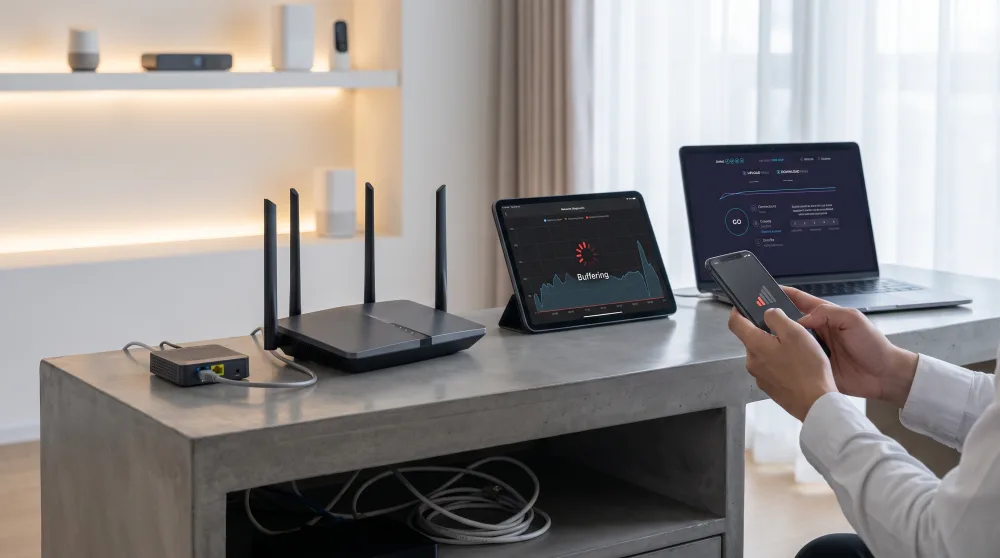
How to test your speed the right way
Most people run speed tests the wrong way. They open Fast.com or Speedtest on their phone, see a number, and say "that's what I'm getting." But that number includes all the loss from Wi-Fi, the distance to the router, and every other device connected to the network. It doesn't tell you what your ISP is actually delivering.
To isolate the problem, you need two tests:
- Wired test: If you have a laptop with an ethernet port (or a USB adapter), plug it directly into the router with a cable. Then open
SpeedtestorFast.comand check your speed. That number is what's coming in from outside to your router. If it's close to what you're paying for, your ISP is holding up their end of the deal. - Wi-Fi test right next to the router: Now unplug the cable, grab your phone, and stand within about six feet of the router. Run the test again. If the speed drops significantly compared to the wired test, your router has a signal problem.
Write down both numbers. The difference between them already starts to point to the culprit. A 10% to 20% drop on Wi-Fi is normal. A drop of 50% or more means the router is struggling, even when you're standing right next to it.
What is the contracted speed and how do you check it?
In Brazil, Anatel (the national telecom regulator) requires ISPs to deliver at least 80% of your contracted speed over a wired connection. For Wi-Fi, that drops to 40%, because wireless signals are affected by factors the ISP can't control. So if you're paying for 200 Mbps and getting 120 Mbps over Wi-Fi, you're technically within the acceptable range. If you're getting 70 Mbps over a wired connection, then you have a legitimate complaint.
Signs the problem is your router
Some symptoms are pretty specific to the router. Once you know what to look for, they're not hard to spot.
- Signal drops as you move away: Works fine in the living room near the router; loads nothing in the back bedroom. That's your Wi-Fi signal weakening with distance and walls. The router simply isn't covering your whole home.
- The device runs very hot: A hot router isn't normal. Excessive heat degrades the internal components and causes speeds to drop. If you put your hand on top and it burns, something's wrong.
- Restarting helps, but only briefly: It works fine after a reboot, but slows down again within a few hours. This means the device can't handle continuous use — common with older routers or low-end models.
- Too many connected devices bring everything down: Works fine with one phone. When everyone gets home and connects, the whole network tanks. Basic routers don't have enough processing power to manage lots of simultaneous connections.
- Speed is good wired, terrible on Wi-Fi: This is the clearest diagnosis. The internet is coming in fine from the ISP, but the router isn't spreading it properly.
Signs the problem is your ISP
Now for the other side. When the problem is coming from outside, the behavior is different. Speed drops even with a cable plugged in. The slowdowns happen at specific times — like at the end of the day, when a lot of people in your neighborhood are all online at once. Sometimes the connection just drops, and restarting the router doesn't fix a thing.
Another telling sign: neighbors on the same ISP complaining about the same thing at the same time. If three people in your building on the same plan are all having issues, it's unlikely each of their routers happened to break at the same moment. Building group chats unintentionally run this kind of collective diagnosis all the time.
You can also use the Anatel Consumidor app, available for free on Android and iOS. Through it, you can file complaints, track their history, and escalate if your ISP doesn't resolve the issue. A lot of people don't know Anatel has this direct channel — and it works a lot better than sitting on hold with customer service for hours.
What does slowdown at a fixed time of day indicate?
It's almost always a sign of congestion on the ISP's network. Between 7 and 10 p.m., usage spikes: everyone's home, streaming video, on video calls, playing online games. If the local infrastructure doesn't have the capacity, everyone suffers together. That's not your router's problem — it's your ISP's failure to scale their network properly. And that's exactly the kind of data you need to have ready when you call support: "My speed drops every day between 8 and 10 p.m., but at 2 p.m. it's fine."
How to improve your signal without switching ISPs
If the problem is your router or how the signal is distributed inside your home, there are a few things you can try before spending serious money.
Move your router. It sounds obvious, but it makes a big difference. A router works like a lightbulb, broadcasting signal in all directions. If it's sitting in a corner of your home, half that signal is going straight into your neighbor's wall. Put it in the center of your home, up on a shelf or table — not on the floor, and away from other electronics like microwaves and TVs.
Change your Wi-Fi channel. Your router broadcasts on frequencies that might be congested by your neighbors' networks. Most routers let you switch channels through their settings (usually by going to 192.168.0.1 or 192.168.1.1 in your browser). If you're not sure how to do this, ask someone more tech-savvy, or call your ISP's technical support — they can often do it remotely.
Use the 5 GHz band when you're close to the router. Newer routers broadcast two networks: one on 2.4 GHz and one on 5 GHz. The 5 GHz band is faster but has a shorter range. If you're in the same room as the router, connect to 5 GHz. If you're farther away, 2.4 GHz will reach you better, even if it's a bit slower.
Consider a range extender or a mesh system. If your home is large or has a lot of thick walls, a single router won't cut it. A Wi-Fi extender starts at around $25–$30 and can cover a problem room. Mesh systems like the TP-Link Deco or Google Nest Wi-Fi cost more, but create a unified network throughout your entire home without losing speed as you move between access points. Worth it if this is a daily struggle.
When it's worth filing a complaint — and how to do it right
If your tests consistently show that your ISP is delivering less than they should, you have the right to complain. And there's a right way to do it.
First, document everything. Log your speeds with the date and time for at least three days. Take screenshots of your test results. This turns a vague complaint into a concrete one. "My internet is slow" is easy to brush off. "Over the past week, between 8 and 10 p.m., my wired speed dropped below 40 Mbps on a 200 Mbps plan" is a lot harder to dismiss.
Call support and open a ticket. Keep the ticket number. If things aren't resolved within 5 business days, file through the Anatel Consumidor app. ISPs are required to respond within a set timeframe when a complaint goes through Anatel, which speeds up resolution significantly. In cases of repeated, documented non-compliance, you may be entitled to a proportional credit on your bill or even cancellation without an early termination fee.
The right diagnosis saves you time, money, and frustration. Before you call your ISP and blame them for everything — or before you go out and buy a new router thinking that'll fix it — run the tests. Two numbers, with and without a cable, will answer the question that's been in the back of your mind. From there, you'll know exactly who to talk to and what to demand.