Have you ever searched Google for a restaurant, pharmacy, or hair salon near you and seen that block with photos, an address, hours, and reviews appear before any website? Then you already know Google Business Profile, even if you didn't know the name. Now think about it from the other side: if you own a business, a store, a clinic, or any kind of local operation and you're not in that block, your competitors are showing up in your place. For free. Every single day.
The good news is that listing your business there doesn't require a developer, an expensive agency, or any technical know-how. Anyone can do it in under an hour. This article explains how it works, why it's so valuable, and what you need to do right now to show up when someone in your area searches for what you offer.
What Google Business Profile is and why it matters so much
Google Business Profile (the official name these days, though plenty of people still call it Google My Business) is a free Google tool that lets businesses create an official profile in search results and on Google Maps. When someone types "bakery near me" or "dentist in downtown Chicago," Google displays a map with cards for registered businesses. Those cards include the name, address, phone number, photos, hours, and customer reviews.
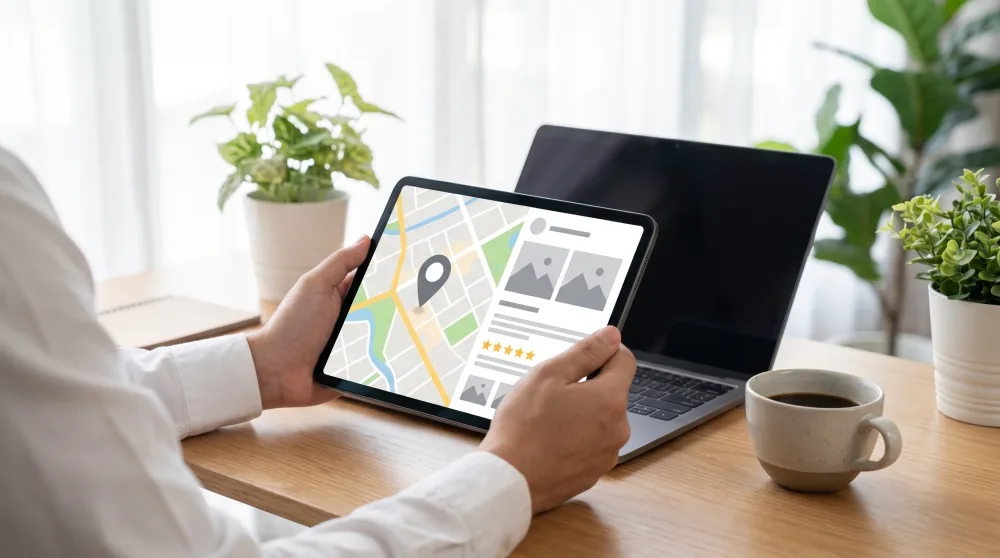
To understand just how powerful this is: Google handles more than 90% of all searches in the United States. And local searches — the kind where someone is looking for something close to where they are — have skyrocketed with smartphone use. A hungry person isn't going to flip through a directory. They're going to open Google, type what they want, and tap the first result that looks trustworthy. If your business doesn't have a profile, it simply doesn't exist for that person.
Who can (and should) create a profile
Any business that serves customers in person or within a specific geographic area can and should sign up. That includes brick-and-mortar stores, restaurants, clinics, law offices, hair salons, auto repair shops, private tutors who work out of their homes, electricians, plumbers, and even food trucks with a regular spot.
It also works for people who don't have a physical location open to the public — like a technician who travels to clients' homes. In those cases, you can set a service area without displaying your home address. Google allows this, and it's something a lot of people wonder about. Bottom line: if you serve people in your city or neighborhood, this profile is for you.
How to create your profile, step by step
The whole process takes place at business.google.com or through the Google Maps app (yes, you can manage everything from your phone). You'll need a Google account — the same login you use for Gmail. If you don't have one yet, signing up takes five minutes and is completely free.
- Go to business.google.com and click "Manage now." Sign in with your Google account.
- Type your business name. If it shows up as a suggestion, someone may have already created a basic profile for you. In that case, you'll "claim" that profile as the owner.
- Choose your primary category. This matters: the category helps Google surface your business for the right searches. "Italian restaurant," "Veterinary clinic," and "Women's clothing store" are good examples. Be specific.
- Enter your address or service area. If you have a physical location, provide the full address. If you're a service provider without a fixed location, define your service area by neighborhood or city.
- Add your phone number and website. No website? No problem. Google gives you the option to create a simple page for free. At the very least, add your phone number.
- Verify your profile. This is the step that trips most people up, but it's straightforward. Google needs to confirm that your business actually exists at that location. The most common method is a postcard with a verification code sent by mail (it usually arrives within two weeks). Some businesses can verify by phone or email right away.
Once verified, your profile will start appearing in searches. But the work doesn't stop there — a fully filled-out profile shows up far more often than one that's only halfway complete.
What to fill in to rank higher (and look better)
Creating the profile is the easy part. What sets you apart is putting in the effort to make it great. Google prioritizes complete profiles because they give searchers a better experience. Think about it: if you saw two listings on a map — one with photos, detailed hours, and 47 reviews, and another with just a name and phone number — which one would you trust?
Photos make a real difference
Upload at least five real photos of your business: the exterior, the interior, your products, your team in action. They don't need to be taken by a professional photographer. Good natural light and a decent smartphone are all you need. According to Google itself, profiles with photos receive significantly more clicks and direction requests than those without. Update your photos regularly, especially when you have something new or seasonal décor to show off.
Business hours: don't forget holidays
It sounds obvious, but plenty of businesses lose customers over this. Set the correct hours for each day of the week, and whenever there's a holiday or a temporary change, update them. Google displays a real-time "closing soon" or "opens tomorrow" notice to people searching nearby. If your hours are wrong, a customer will show up to a locked door — and leave you a bad review.
Business description
You get up to 750 characters to describe what you do, what makes you special, and who your customer is. Use words that people actually type into Google. If you're a barbershop that specializes in fades, say that. If your store delivers across the city, mention it. No hype, no ALL CAPS, no "best in the city." Be honest and direct.
Products and services
Google lets you list your products and services with a photo, name, description, and price. This turns your profile into something close to a storefront display. Someone searching "women's haircut price" might find exactly what you offer — including the cost — before they ever visit your website.
Reviews: the one thing money can't buy
Star ratings are the single biggest factor influencing decisions for people who are actively searching. Research from BrightLocal found that more than 80% of consumers trust online reviews as much as personal recommendations from friends. And in a culture where word of mouth has always carried enormous weight, that tracks perfectly.
Ask your satisfied customers for reviews. There's no secret formula: after a great experience, send a quick message with a link to your profile and ask for a comment. Google generates a direct review link you can share easily. Most people are happy to leave a review when it's that simple.
And when a negative review comes in? Respond. Always. Calmly, without getting into an argument, and in a way that shows you care. People reading the reviews judge both the customer's comment and how you handle it. A polite, constructive response to a complaint can be more convincing than ten glowing reviews left unanswered.
Common mistakes that drive away customers (and hurt your ranking)
There are a few traps worth avoiding from the start. The first is letting your profile sit untouched after you create it. Google favors active profiles — ones that get regular updates, new photos, and responses to reviews. An abandoned profile gradually loses ground over time.
The second is using inaccurate or inflated category information. Some business owners list themselves as a "hospital" when they run a small clinic, thinking it will help them appear in more searches. It backfires: Google penalizes inconsistencies, and the wrong customers show up expecting something that isn't there.
The third — and probably the most common — is ignoring the questions people post directly on your profile. Anyone can ask a public question, like "Do you accept credit cards?" or "Is there parking nearby?" If you don't answer, another user will answer for you — with whatever information they think is correct. Check your profile at least once a week to stay on top of this.
My profile got suspended. Now what?
It happens more than you'd think. Google suspends profiles when it detects inconsistent information, a business name stuffed with keywords (something like "Best Cheapest Bakery Downtown Los Angeles"), or suspected duplicates. If this happens to you, open the dashboard, read the stated reason, fix whatever's wrong, and submit a review request. The process is a bit bureaucratic, but it works — and it's free.
The next step is right now
If you run a local business and still don't have a Google Business Profile, you're losing customers every week to competitors who did something simple and free. Open business.google.com, set aside a quiet hour, and start your listing today. Once your profile is verified, put some care into the photos, fill everything out thoroughly, and ask your first customers to leave a review. The results show up on the map — literally.